Writing & code · Extension
Codec
Encode and decode Base64, URL and HTML.
What it does
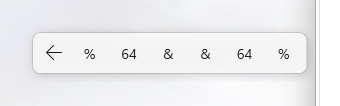
Six actions to convert text between formats: Base64 with correct UTF-8 (accents and emoji included), URL percent-encoding and HTML entities. Handy for reading a token, building a link with special characters or debugging a web page.
When to use it
When to use it: Encode and decode Base64, URL and HTML. It belongs to the “Writing & code” family. Once installed, it joins the bar and works on the selected text.
Example
Hello
SGVsbG8=
Install in 3 steps
- Download the file.
- In Selecto AI: Settings › Actions › Add an extension, choose the file (.js or .zip).
- The action appears in the bar.