




Selecto AI

Selecto AI for Windows 10 and 11 · x64 and ARM64

Select. Act.

Instant actions on text. A bar appears the moment you select, in any Windows app: search, copy, define, translate, fix with AI.

Free, no account, no key. Signed by Microsoft on the Store, or download the installer for Windows.

  • Free, no account, no key
  • AI on your PC or with your key
  • No usage telemetry
  1. 1Select some textin any application
  2. 2The bar appearsright above, without opening anything
  3. 3Pick an actionsearch, copy, define, translate, AI
  4. 4The result, right thereand Replace writes it for you

● Real screenshots · Dictionary

● The full demo in 60 seconds, then real screenshots further down. Sample text is fictional.

01 Features

Six actions, one selection.

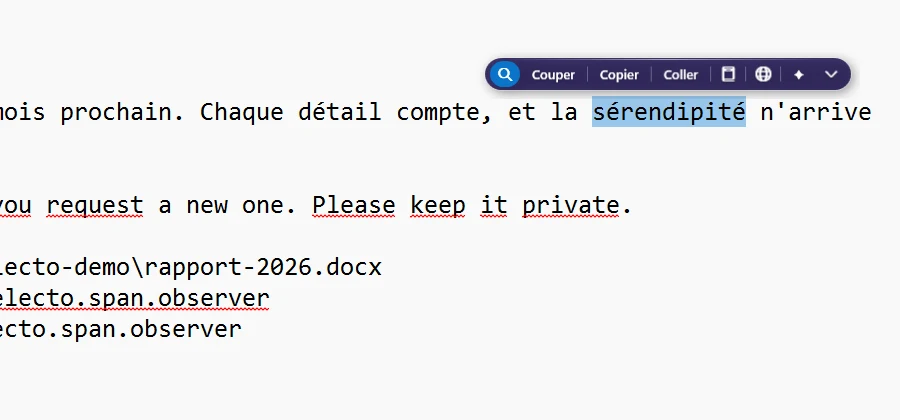
The bar sits above the text and vanishes when you click elsewhere. Each button does one thing, right away.

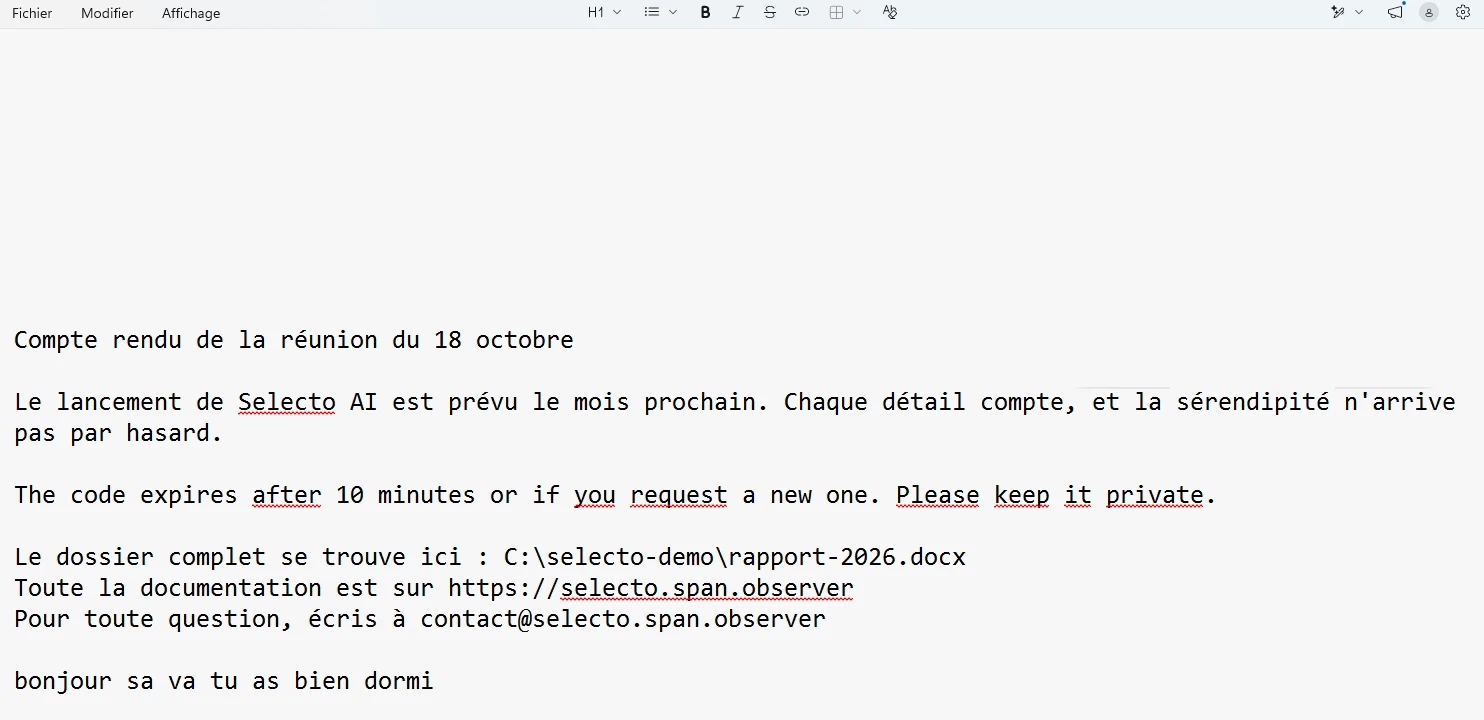
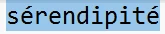
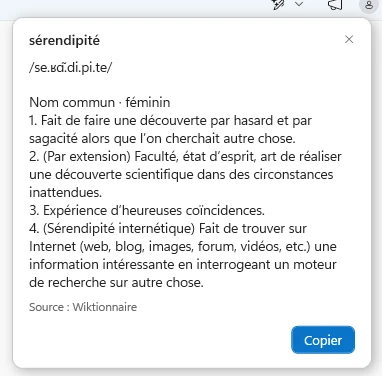
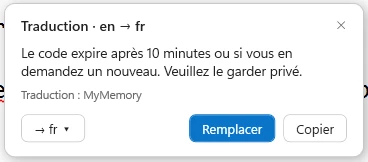
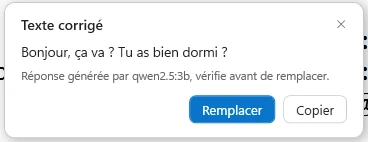
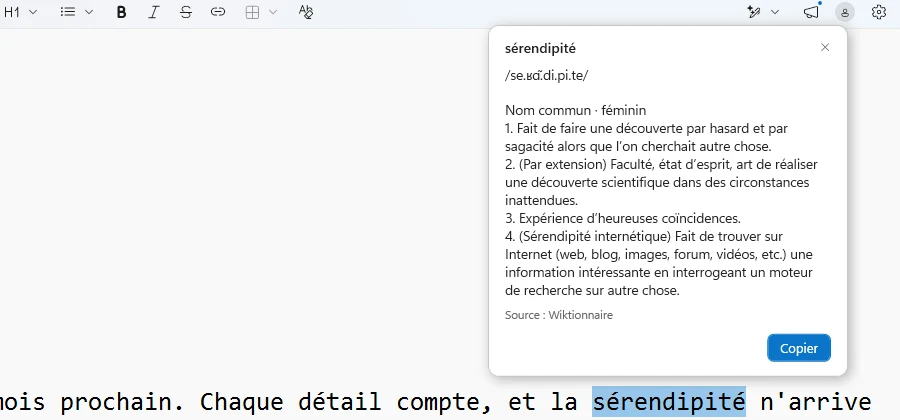
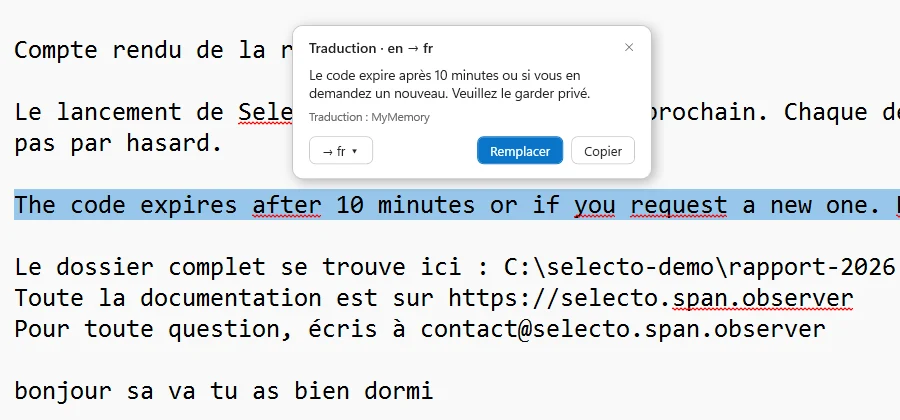
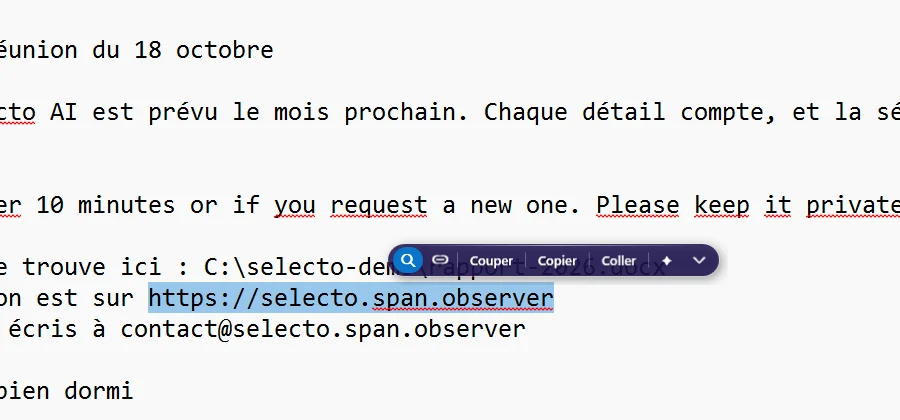
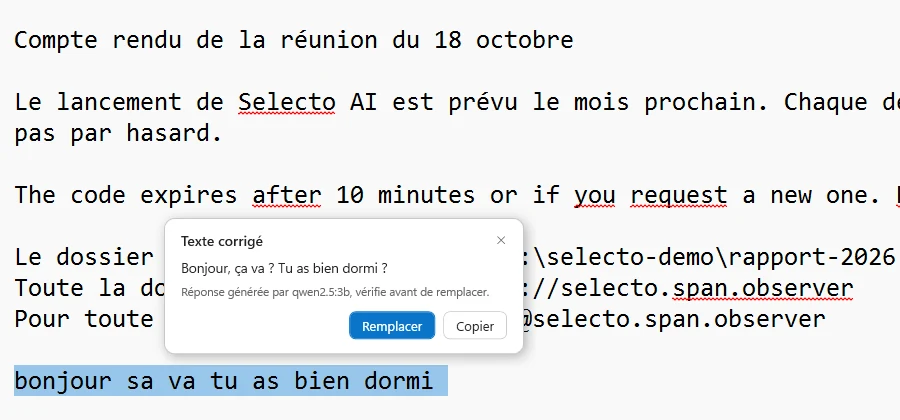
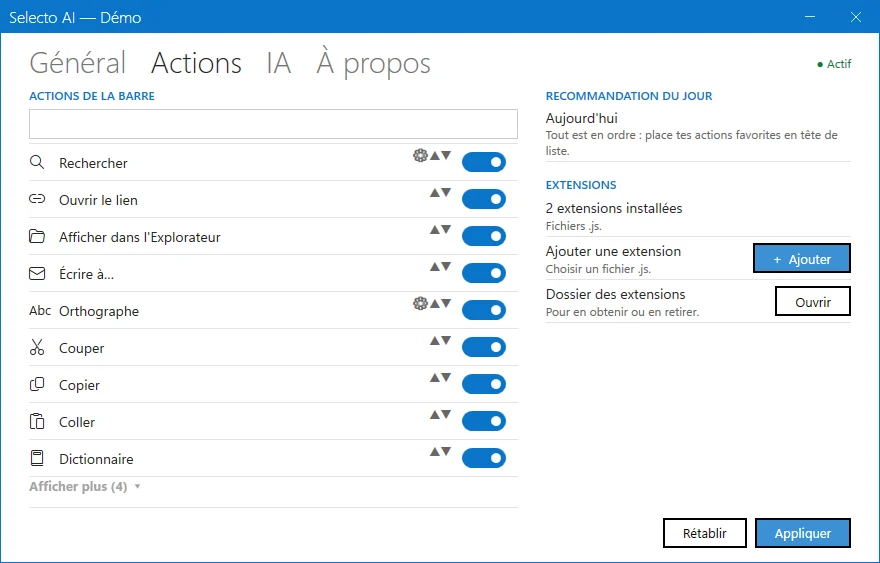
The Selecto bar above a selected word: Search, Cut, Copy, Paste, Dictionary, Translate, AI. Dictionary window for “sérendipité”: pronunciation, part of speech, definitions, Wiktionary source. “Translation · en → fr” window with Replace and Copy buttons. A link is selected: the bar adds an “Open link” button. “Corrected text” window from the local AI, with the note “Generated by qwen2.5:3b, check before replacing”. Settings, Actions tab: the list of actions you can enable and reorder, JavaScript extensions.

● Real screenshot, Windows 11

  1. Search, cut, copy, paste

    One click starts a search in your default engine, or does the classic clipboard gesture.

    CtrlCVX
  2. Dictionary

    The definition appears in a small window, without opening a browser. Source: Wiktionary.

    Wiktionary
  3. Translate

    The language is detected and the translation appears in the window. Translation goes through the online service MyMemory.

    EN → FRlanguage detected
  4. Links, e-mails, paths

    Selecto recognises links, e-mail addresses and Windows paths and adapts the bar. A link opens in your default browser, a path is shown in File Explorer.

    https://@C:\
  5. Summarise, explain, rephrase, fix

    Four AI actions on the selected text. The result appears in the window, ready to copy.

    SummariseExplainRephraseFix
  6. Extensions and exclusions

    Add your own actions in JavaScript. Exclude the apps and sites where the bar must never appear. The theme follows Windows 11.

    action.jsexclusions

02 In action

Taken in the app, not drawn.

Real screenshots of Selecto AI on Windows 11: the bar, the answer windows, local AI really answering. Click to enlarge. Sample text is fictional.

03 The AI

AI on your PC, or with your key.

On your PC

Free, private, offline.

Install a local model in one click: the app manages Ollama for you. It is free and private, the text never leaves your computer. Speed depends on your hardware.

● local model, managed by the app● the text stays on your machine
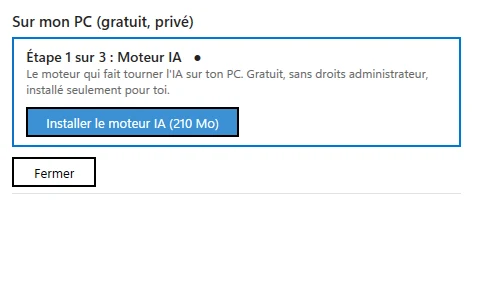
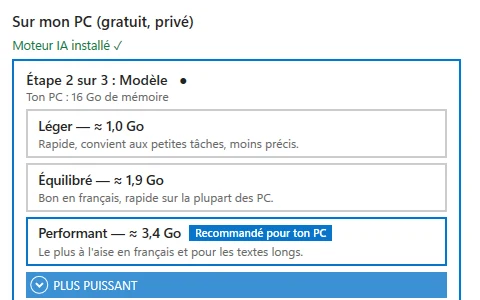
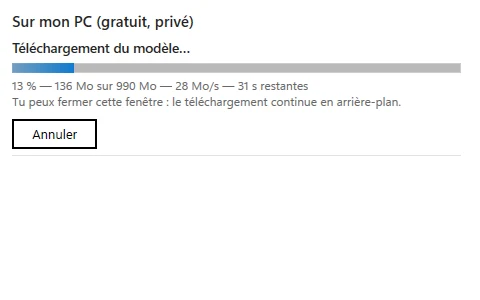
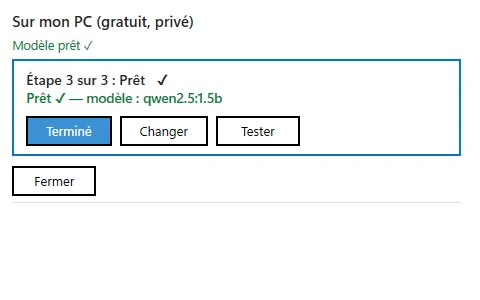
Step 1 of 3: AI engine. “Install the AI engine (210 MB)” button, free, no administrator rights. Step 2 of 3: Model. Light ≈ 1.0 GB, Balanced ≈ 1.9 GB, Powerful ≈ 3.4 GB, “Recommended for your PC”. Downloading the model: 13%, 136 MB of 990 MB, 28 MB/s, 31 s left. Step 3 of 3: Ready ✓, model qwen2.5:1.5b. Done, Change and Test buttons.
  1. AI engine, 210 MB
  2. Pick a model
  3. Download
  4. Ready ✓

With your key

Your provider, your bill.

Or paste the API key from your provider. You pay them directly; the text goes to them to be processed.

  • OpenAI
  • Anthropic Claude
  • Google Gemini
  • Mistral
  • Groq
  • DeepSeek
  • xAI
  • Together
  • OpenRouter
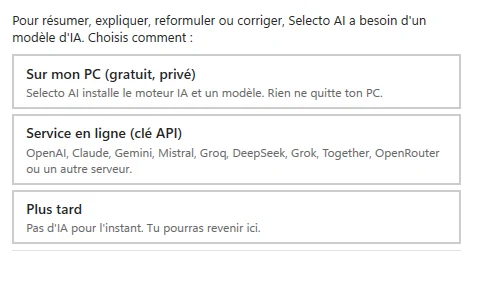
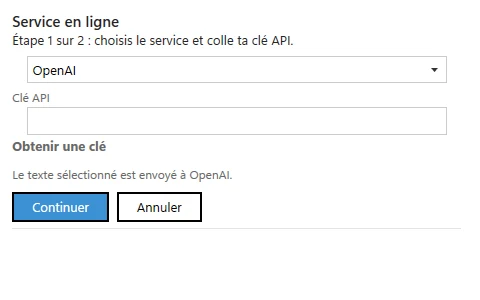
Settings, AI tab: three choices, On my PC (free, private), Online service (API key), Later. Online service, step 1 of 2: provider drop-down (OpenAI), API key field, Get a key link, Continue button.
  1. Settings › AI › Online service
  2. Provider, API key, Continue

04 Try it here

Nothing to open.

Dictionary and translation appear next to the text. You stay in your document. Select a word below, with the mouse or your finger.

Selecting is the most natural gesture. Yet understanding a word or translating a sentence still means opening a tab. Selecto removes this detour.

Simplified demo, nothing is sent: the app handles any text.

Selecto window

The window appears here, next to the text, as soon as you pick an action. (Enable JavaScript to try it.)

Demo on this page: nothing is sent anywhere.

05 Privacy

What leaves, and what stays.

What leaves

Online actions send the text.

Translation (MyMemory), dictionary (Wiktionary), search and AI with your key: the selected text goes to the service you chose.

  • → MyMemory, to translate
  • → Wiktionary, to define
  • → your AI provider, if you pasted your key
  • → our server, only if you send a support request

What stays

No usage telemetry.

Selecto does not measure what you do. With a local model, the text is processed on your computer and never leaves it. This site uses no cookie and no tracker.

  • ● what you select, with local AI
  • ● your habits, your apps
  • ● no cookie, no tracker on this site

Read the privacy policy

06 Free

Free and open source.

No price, no account, no key. The code is public under the MIT licence, and the app is also free on the Microsoft Store.

07 Questions

Questions quick.

Which apps does it work in?

Selecto aims at most Windows apps where text can be selected. If the bar misbehaves in one of them, write to support.

Which Windows versions?

Windows 10 and 11, on x64 and ARM64.

Does my text go anywhere?

With local AI, nothing leaves your PC. Online actions (translation, dictionary, search, AI with your key) send the text to the service involved.

How much does it cost?

Nothing: Selecto AI is free, no account, no key. The code is open, under the MIT licence.

On how many devices?

Use it on as many devices as you like: the MIT licence sets no device limit.

What about the Microsoft Store?

It is free too: a package signed by Microsoft, with automatic updates. The site also offers the installer, the portable ZIP and the source code on GitHub.

More answers on the Support.

The next text, in one gesture.

Free, no account, no key. Open source under the MIT licence.

Download, free