At work
At work, everything starts with a selection
An email to fix, a document to summarise, a term to check: you select the text, the bar appears just above it, and the result lands where you work. Without switching windows.


What you do, what the bar offers
| What you do | In the bar |
|---|---|
| A word or an address to look up | Search opens the search in your browser, on the selection. |
| An email to rephrase or shorten | AI › Rephrase, or Summarise, then Replace. |
| A sentence to fix before sending | AI › Correct: the fixed version appears beside it, Replace puts it in place. |
| A passage in a foreign language | Translate, with the detected language. |
| A term you do not know | The dictionary answers under the selection. |
| A list to clean up or number | The Remove duplicates, Number and Bullets extensions. |
| A selection made with the keyboard | Ctrl+Shift+Space opens the bar, from version 3.2.1. |
The bar, in practice
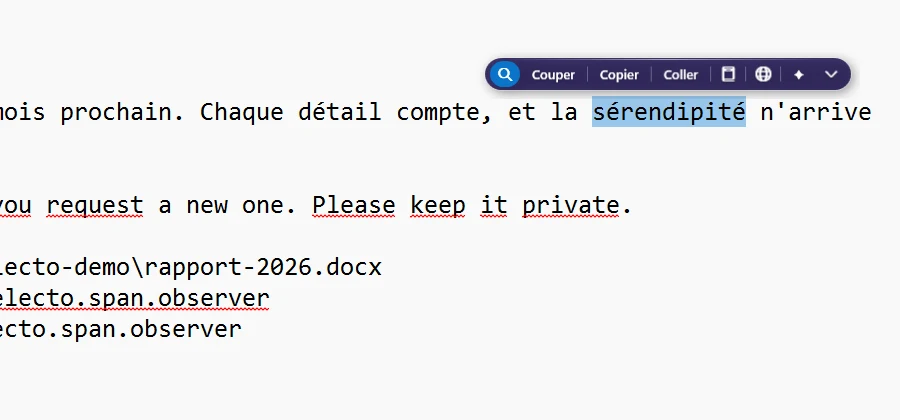
You select a word in your browser, mail app or word processor. The bar appears just above it, with Search, Copy, Define, Translate and AI. You click, the answer opens beside it, and you keep typing.
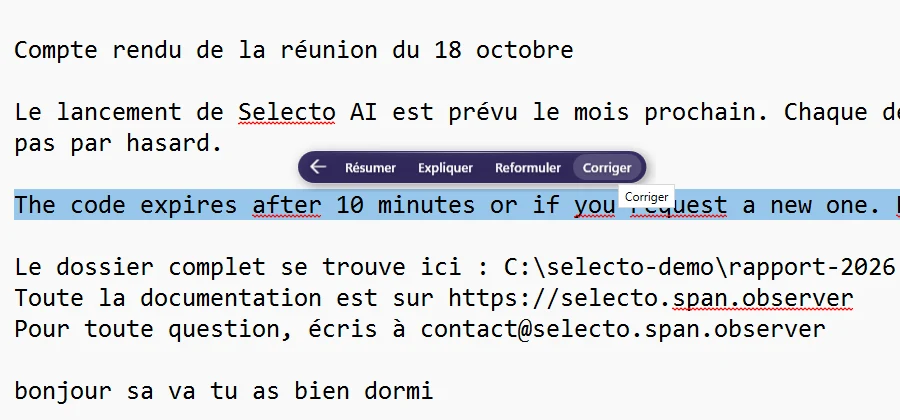
Summarise, explain, rephrase, correct
The bar’s AI menu offers four actions on the selected text. The answer appears beside it; when it suits you, Replace writes it in place of your selection.
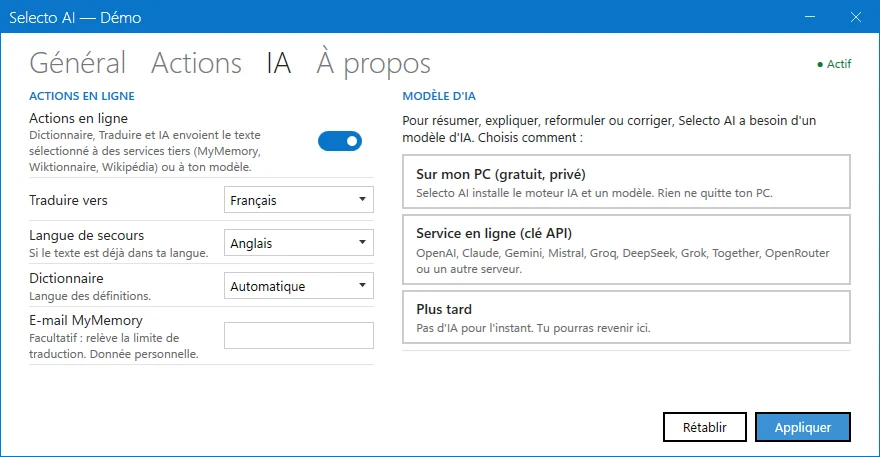
Your documents stay with you
Local AI installs in one click from Settings › AI, without administrator rights. The text you work on stays on your PC. If you prefer an online service, plug in your own key, on the same page.
Extra actions, if you need them
The catalogue has 22 free extensions, 35 actions in all: clean a list, number lines, turn text into bullets, hide a passage before sharing a screenshot. Each one is added from Settings › Actions.
What it costs
Selecto AI is free, with no account and no key. The code is open source (MIT) and public on GitHub.
Frequently asked questions
Does it work in my mail app and word processor?
In most Windows apps where you can select text. Some do not let other programs read their selection: there the bar does not appear. Try it with a short text: you quickly see whether the bar appears.
Do my documents go onto the internet?
With local AI, no: the text stays on your PC. With online AI, it goes to the service you plugged in with your key.
Do I need administrator rights?
No. The installer and local AI install for your Windows account, without administrator rights.
Why is it free?
Selecto AI is free software under the MIT licence. The code is public on GitHub, and the app asks for no account and no key.